
Stock Events Portfolio Tracker
Stock Events: Stock Market & FinanceFinance
4.5509.00 Reviews
- Version
- 9.38.6
- Installs
- 500.00K
- Age Rating
- Everyone
Screenshots
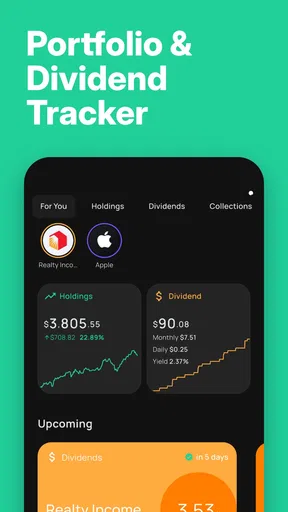
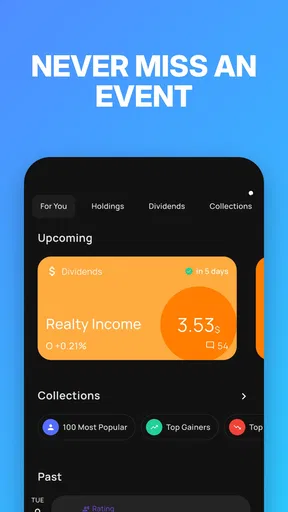
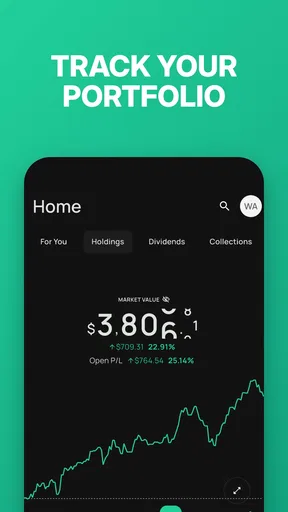
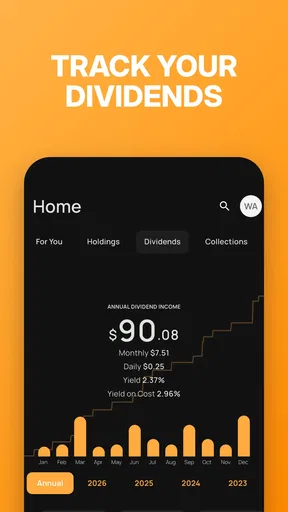
Our Review of Stock Events Portfolio Tracker
 Analysis by Appyee
I usually reach for a portfolio tracker when my investments are spread across accounts or when I want a quick sense of what deserves attention without opening several finance apps. Stock Events Portfolio Tracker is built for that kind of check-in: it brings market information, portfolio tracking, dividends, earnings and news into one place. I find that most useful as an organizing layer, not as a substitute for a broker or a reason to trade more often.
Start with the question you actually need answered
Before adding anything, I’d decide what I want the app to help me keep track of. That might be whether an upcoming dividend matters to my monthly budget, which holdings have earnings coming up, or how a watchlist is moving while I’m away from my usual investing setup. Starting with one clear goal makes the initial setup less intimidating and helps keep the dashboard relevant.
The app is free to install, is rated for Everyone, and is developed by Stock Events: Stock Market & Finance. It has a 4.6 average from around 9,400 ratings and has been installed over 100,000 times. Those figures suggest it has found an audience, but they don’t tell me whether its workflow suits a particular investor; the best test is whether its information matches the way you monitor your own holdings.
Build a routine instead of watching every tick
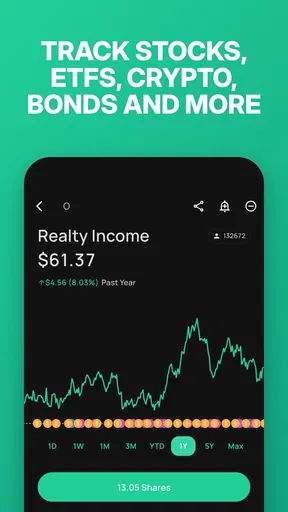
My practical approach would be to add the investments and market items I care about, then shape the dashboard around the questions I return to. The app presents itself as a place to follow stocks, dividends, earnings and news, and its broader tracking scope includes areas such as crypto, ETFs and foreign exchange. That makes it more flexible than a tracker focused only on one type of security, though a wider scope can also mean more choices to sort through.
For a realistic weekday routine, I might check the portfolio before work, note any upcoming earnings or dividend dates, and then leave price alerts to flag the specific movements I have chosen to watch. That is more useful than reopening an app every few minutes. Alerts work best when they answer a decision-relevant question; setting too many can turn a calm overview into another stream of interruptions.
Move from overview to context
Once the basic view is in place, the value comes from moving between a holding’s broad performance and the context around it. Historical information and charting can help me compare a recent move with a longer trend, while earnings and news can explain why a ticker is worth a closer look. I’d still treat those views as prompts for research rather than a complete investment thesis. A chart can show what happened; it cannot decide whether a company fits my goals or risk tolerance.
A useful habit is to check one holding at a time and write down the question I’m trying to answer before opening more data. For example, if a position is approaching an earnings report, I can use the app to keep the event in view and then consult the company’s official materials or my broker for details that affect an actual trade. This small handoff helps prevent a tracker from becoming an accidental source of overconfidence.
Where it fits among finance apps
Compared with a broker’s own app, a dedicated tracker is more appealing when I want an at-a-glance view that isn’t tied to placing an order. A broker remains the better destination for execution, account-specific records and decisions that depend on exact holdings. Compared with a basic watchlist, Stock Events can put portfolio, dividend and earnings monitoring into a broader routine, but a simple watchlist may be preferable if all you want is a short list of prices and no extra setup.
It can also sit beside a spreadsheet rather than replace one. A spreadsheet gives careful users control over custom calculations and personal record keeping; this app is more convenient for following market events and checking information on the go. I wouldn’t assume that a portfolio overview automatically reconciles every account or replaces tax records. For those jobs, I’d keep using the official statements and tools designed for the specific task.
Who will get the most from it
I’d recommend it to investors who follow several kinds of assets, care about dividend and earnings timing, or want market context gathered around a portfolio. It may be especially handy if you prefer a quick mobile check over maintaining a detailed spreadsheet every day. New investors can use that structure to learn what events to watch, provided they’re comfortable taking setup one step at a time and don’t mistake a clean dashboard for personalized financial advice.
It is less compelling if you only need to place trades, if your broker already gives you the exact overview you want, or if you prefer a tightly controlled manual record. People who find alerts distracting may also want to keep notifications selective or use a quieter workflow. The app is a tracker, not a promise of better returns, and extra information is only useful when it supports a deliberate plan.
First Impressions
Right out of the gate, the Stock Events Portfolio Tracker app greets you with a clean and intuitive interface. I mean, who doesn't love an app that's easy on the eyes? Navigation is a breeze, and you'll find yourself clicking through various features without feeling overwhelmed. Everything seems to be just a tap away, which is perfect for those of us who like to keep things simple and efficient.
Your Personal Finance Hub
The app acts as a comprehensive hub for all your financial needs. Whether you’re tracking stocks, cryptocurrencies, ETFs, or even foreign exchange, this app has you covered. It’s like having a personal financial assistant in your pocket. I absolutely love how you can customize your dashboard to focus on the metrics that matter most to you, from stock prices and trends to dividend yields and market caps.
Notifications and Alerts
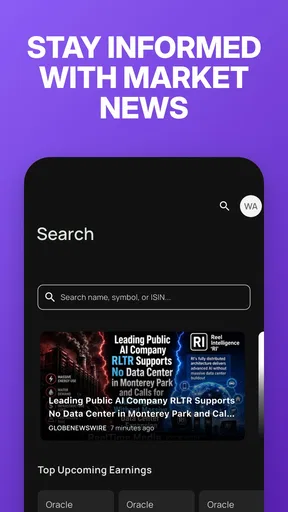
One of the standout features has to be the customizable notifications. You can set alerts for specific stock prices, market news, or even upcoming earnings reports. It's like having a savvy financial analyst whispering valuable insights in your ear. This feature ensures you’re always a step ahead, which is crucial in the fast-paced world of investing.
Deep Dive into Data
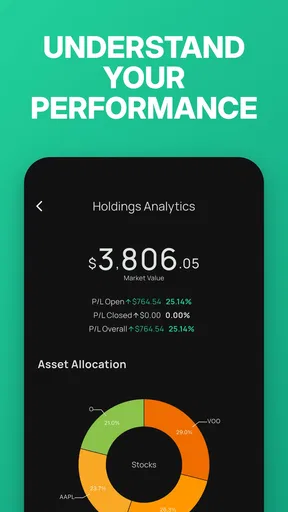
If you're a data geek like me, you’ll appreciate the depth of information available. From historical data analysis to advanced charting tools, you can dive deep into the performance of your investments. The app provides detailed insights that can help you make informed decisions without having to switch between multiple platforms. It's all about efficiency, my friends!
Community and Sharing
Investing doesn’t have to be a lonely journey, and the app recognizes that. With the community feature, you can engage with other users, share insights, and even get tips from seasoned investors. It's like a social network for finance enthusiasts. Plus, you can easily share your portfolio and performance with friends or fellow investors, making it a breeze to get a second opinion or a fresh perspective.
Security Matters
Now, let’s talk about security because, let’s face it, peace of mind is priceless. The app incorporates robust security measures to ensure your data is safe. With options for biometrics and two-factor authentication, you can rest easy knowing your financial information is protected. It's always comforting to know that the app developer takes security seriously.
Room for Improvement?
No app is perfect, and while Stock Events Portfolio Tracker ticks many boxes, there's always room for improvement. For instance, while the app offers a lot of features, some users might find the initial setup a bit daunting, especially if you're new to investing. But once you get the hang of it, it's smooth sailing from there!
Another thing to consider is the premium features. While the free version is quite robust, the premium version unlocks even more powerful tools and insights. It's something to keep in mind if you're serious about maximizing your investment strategies.
Using the app without letting it drive the decisions
A portfolio tracker can make a busy investing life feel more orderly, but I try to separate monitoring from action. A price alert or earnings reminder is a reason to pause and review, not an instruction to buy or sell. When a notification arrives, I’d check whether the underlying reason for holding the asset has changed, then use a broker or primary source for any decision that needs precise, current account details.
There’s also a useful trade-off in how much information to display. Showing every asset class and metric can make a dashboard feel comprehensive, but a smaller view focused on the holdings and events that matter to you is easier to scan consistently. I’d start with a short list, see what I actually use over a normal week, and only then add more. That keeps the tracker from becoming another cluttered feed.
Practical handoffs and the limits of a tracker
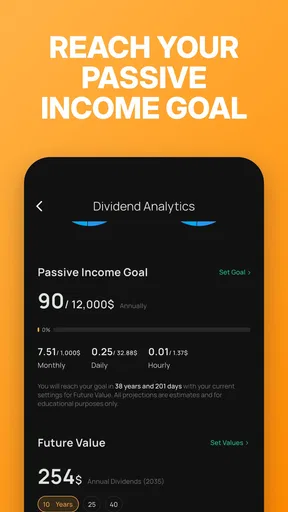
When I’m checking dividend income, I’d use the app to keep the relevant events visible, then compare that expectation with statements from the account where the assets are held. A tracker can help me remember what is due and when to investigate; official account records remain the place to verify what was actually credited. The same handoff applies to tax planning, performance calculations and placing orders: useful context here, final confirmation in the appropriate account or records.
The community and sharing side may suit someone who likes discussing ideas, but I’d be selective about what I share. Investment conversations can be helpful for hearing a different perspective, yet another user’s confidence or portfolio choices are not evidence that a decision is right for me. I’d treat community input as a prompt for questions, and keep personal financial details private unless I’m comfortable with the audience and the sharing controls.
Cost, setup and choosing the right version
The app is free to use, with optional in-app purchases ranging from $2.99 to $49.99 per item. I’d begin with the free experience and identify a specific limitation before considering a purchase, rather than paying simply because a feature sounds advanced. The current version is 9.30.5, and it requires Android 7.0 or later. For a potential subscriber, the practical question is whether the extra tools solve a recurring problem in their own routine, not whether a paid tier is automatically better.
Setup is the point where patience pays off. If you’re new to investing, begin with familiar holdings or a small watchlist, learn how the dashboard presents them, and add complexity only when you know what you want to monitor. If you already use several sources, decide which one remains authoritative for balances and transactions. That distinction avoids treating a convenient overview as a complete financial ledger.
The outcome I’d expect from a steady routine
Used with restraint, the main payoff is less time spent hunting for event dates and more clarity about what deserves a closer look. I wouldn’t expect a tracker to improve returns by itself. Its value is in helping me notice a dividend date, an earnings event or a meaningful change in a holding without turning every market fluctuation into a task. That is a modest benefit, but a genuinely useful one for someone who follows a portfolio over time.
Stock Events: Stock Market & Finance has built a finance app with broad tracking ambitions, and the 4.6 average rating reflects a generally positive reception. I’d choose it when I want a mobile companion for market events and portfolio context, while keeping a broker, official statements and independent research in their proper roles. If that division sounds sensible to you, the app is worth trying; if you only need a basic price list or prefer a fully manual system, a simpler alternative may fit better.
Final Thoughts
In conclusion, the Stock Events Portfolio Tracker is a fantastic tool for both novice investors and seasoned market veterans. Its user-friendly interface, coupled with a wealth of features, makes it a standout choice for anyone looking to keep a close eye on their investments. Whether you're tracking stocks or diving into the world of cryptocurrencies, this app offers a comprehensive suite of tools to keep you informed and ahead of the game.
So, if you're ready to elevate your investing game, give it a shot! You might just find it becoming an indispensable part of your financial toolkit. Happy investing!
Verdict
Strengths of Stock Events Portfolio Tracker
- Intuitive user interface for easy navigation.
- Real-time updates on stock market trends.
- Customizable alerts for stock price changes.
- Supports multiple portfolios and asset types.
- Detailed analytics for informed decision-making.
Limitations of Stock Events Portfolio Tracker
- Limited features in the free version.
- Occasional delays in data updates.
- Requires internet for most functionalities.
- In-app ads can be disruptive.
- No cryptocurrency tracking available.
Similar Picks in This Category
View All
Google Wallet
Google LLC4.3

Airtel: Recharge, Bank & Loans
Airtel4.0

PayPal - Pay, Send, Save
PayPal Mobile4.2

DANA Indonesia Digital Wallet
PT Espay Debit Indonesia Koe4.5

Binance: Buy Bitcoin & Crypto
Binance Inc.4.8

Cash App
Block, Inc.4.7
Frequently Asked Questions
What features does Stock Events Portfolio Tracker offer?
Stock Events Portfolio Tracker provides real-time tracking of your investments, with customizable alerts for stock events like earnings calls, dividends, and IPOs. The app also includes comprehensive analytical tools, news feeds, and portfolio management features that help you make informed decisions about your investments.
Is Stock Events Portfolio Tracker free to use?
Stock Events Portfolio Tracker offers a free version with basic features. However, for advanced functionalities such as detailed analytics, ad-free experience, and priority customer support, there is a premium subscription available. The app provides a trial period for new users to explore premium features before making a commitment.
How secure is my data on Stock Events Portfolio Tracker?
The app prioritizes user privacy and employs robust encryption protocols to protect your personal data and investment information. It does not share your data with third parties without consent, ensuring a secure environment for managing and tracking your financial portfolio.
Can Stock Events Portfolio Tracker be synced with other financial tools?
Yes, Stock Events Portfolio Tracker can be integrated with various financial tools and brokerage accounts. This syncing capability allows for seamless updates of your portfolio across platforms, providing a unified view of your investments and enhancing your financial management experience.
Does Stock Events Portfolio Tracker support international stock markets?
Absolutely, the app supports a wide range of international stock markets, making it a versatile tool for global investors. Users can track stocks, indices, and economic events from multiple countries, ensuring they stay informed about global financial trends and opportunities.
